Template 04
Net Worth Tracker Spreadsheet
List your assets and your debts once, update them each month, and watch the spreadsheet chart the one number that tells you whether you are really getting ahead.
Get the template — $13- Excel + Google Sheets
- Instant download
- $13 · one-time payment

From the file
- Net worth
- $25,900
- Liquid
- $6,500
- This month
- +$950
- To your goal
- $14,100
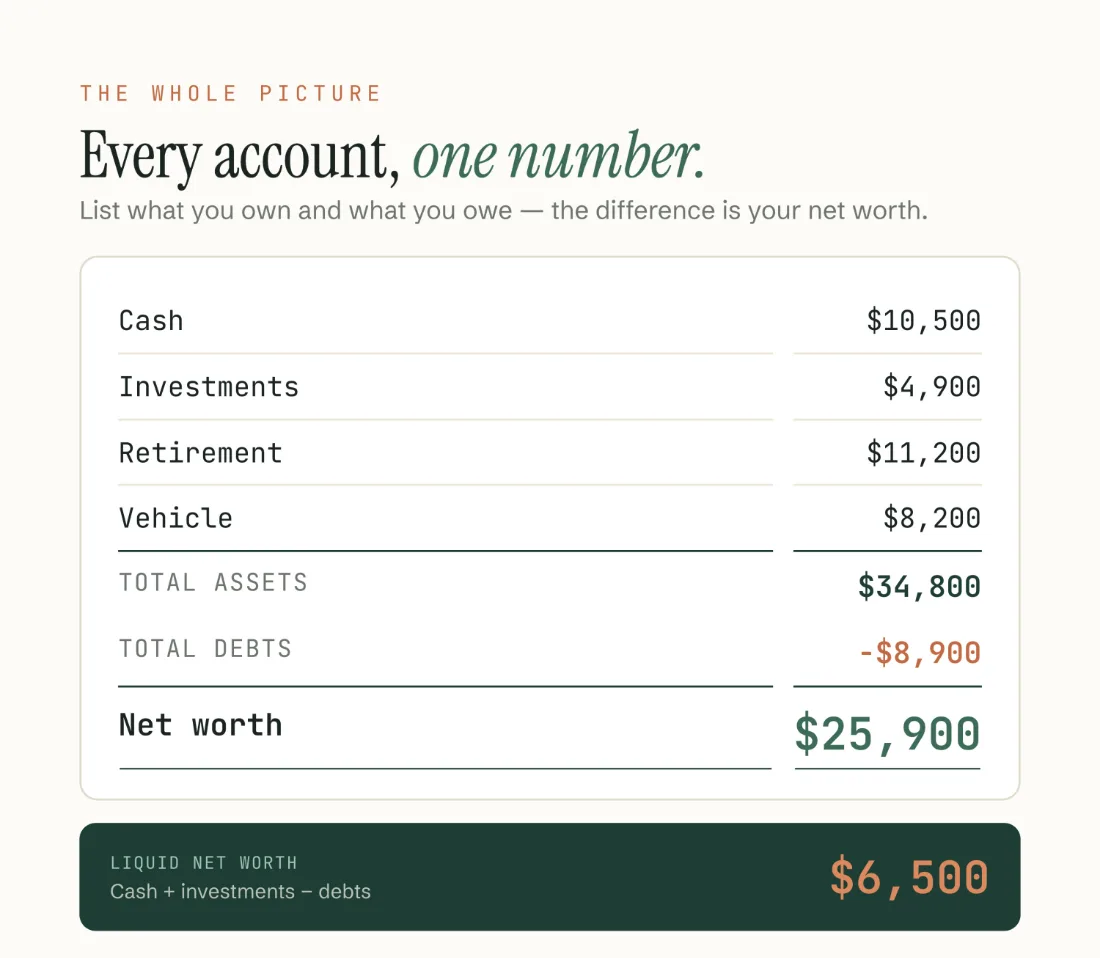
Example figures from the file. Assets: cash $10,500 · investments $4,900 · retirement $11,200 · vehicle $8,200. Debts −$8,900. Biggest mover: 401(k) +$350.
The star feature
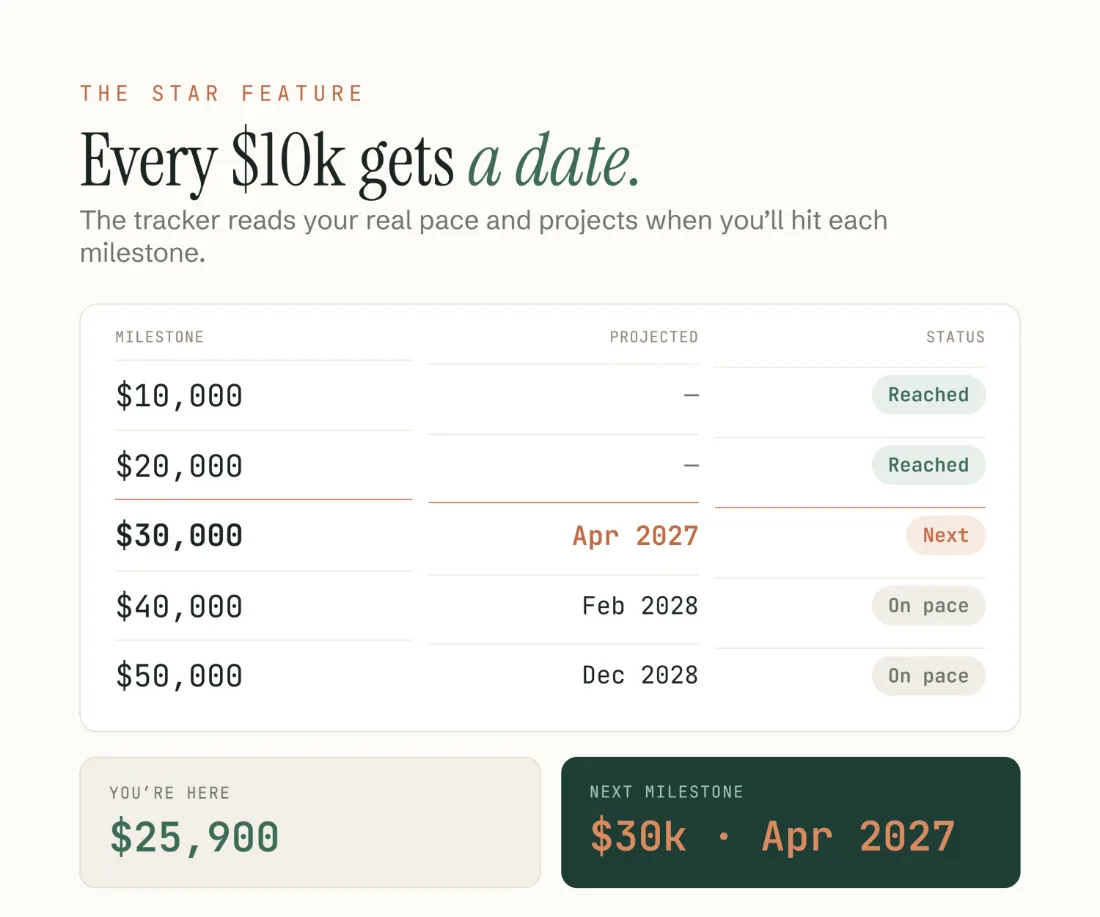
Wealth milestones, dated as they come within reach.
Every $10,000 becomes a finish line, and the ones within reach get a date. The tracker reads your real monthly pace and projects when you’ll cross the ones ahead of you — $30,000 around Apr 2027, $40,000 around Feb 2028, and on from there. A number on a screen turns into something you are actually racing toward.
It also shows your liquid net worth next to the total. Liquid = cash + investments minus all debts. Retirement, property and your vehicle are left out, because you can’t spend them this week. It’s the number that tells you what you could actually access right now.
There is a what-if line too: an extra $100 a month gets you to your goal roughly two months sooner.
A look inside
What you actually get.


What’s included
Everything in the download.
- Net Worth Tracker in Excel (.xlsx) and Google Sheets
- Assets vs liabilities dashboard with one live net-worth number
- Automatic wealth milestones every $10,000, dated as soon as they come within reach
- Liquid net worth shown alongside total net worth
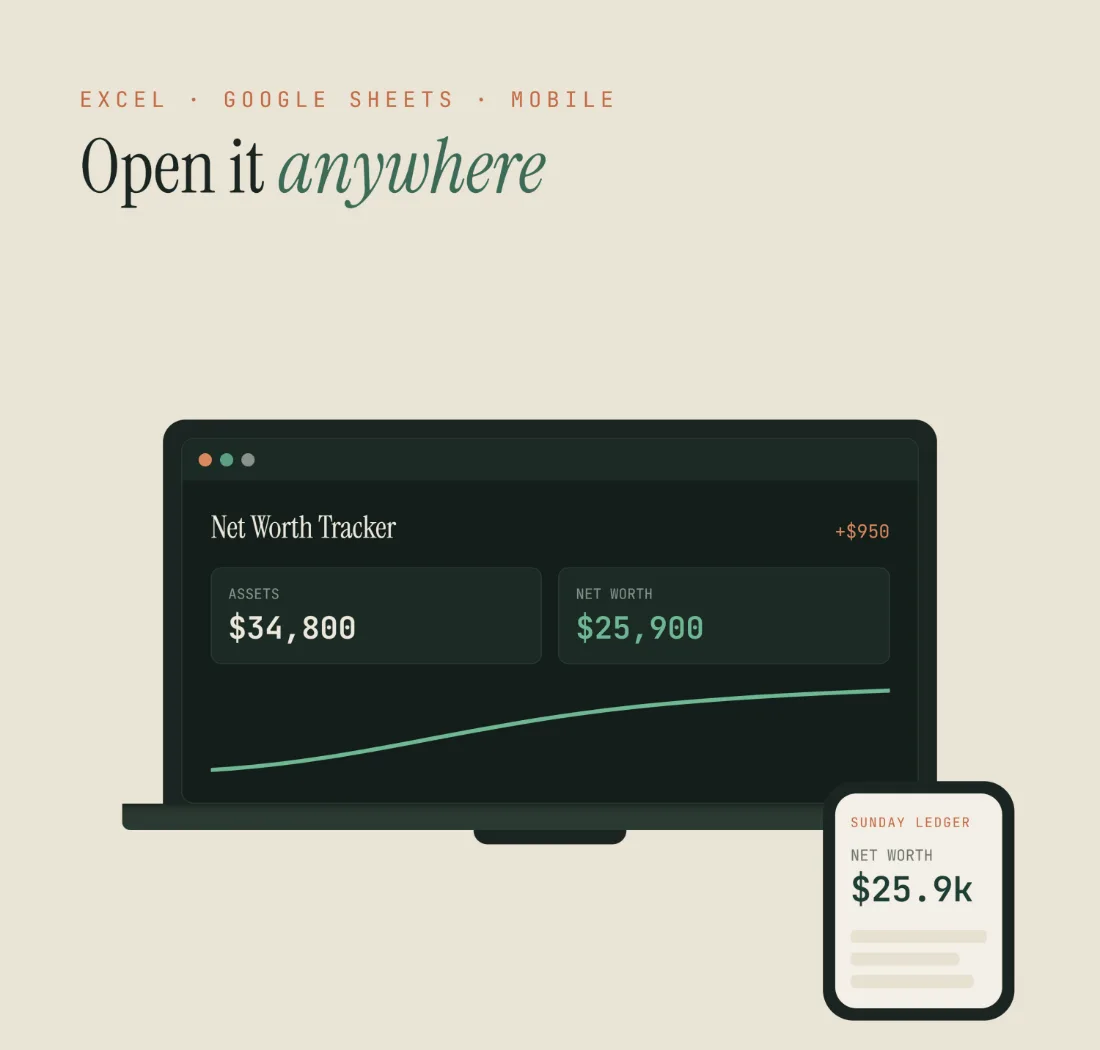
- A net-worth-over-time chart that climbs as you update it
- Monthly Log to record every month’s progress, and your biggest mover
- Percent of assets by category — cash, investments, retirement, vehicle
- Room for up to 15 assets and 9 debts
- Light and “Midnight Pine” dark version, both in the file
- Step-by-step Welcome Guide (PDF)
6 tabs
How the file is laid out.
- Start Here
- Setup
- Dashboard
- Dashboard (Dark)
- Monthly Log
- Milestones
Compatibility
How it works
Four steps, once.
- 01
Download instantly
Two files land in your order email and your Payhip account.
- 02
Open in Excel, or make a copy
Open the .xlsx, or tap File ▸ Make a copy for Google Sheets.
- 03
List your assets and debts
Only the clay-outlined cells. Type over an empty row — no inserting rows.
- 04
Update the Monthly Log
Once a month is plenty. The chart and the milestones build themselves.
Honest limits
What it doesn’t do.
It stops guessing after two years. Of the 26 milestones, 8 carry a date and the other 18 show “2+ yrs” instead, because a projection that far out would be made up. Keep logging and they fill in.
Questions
Before you buy.
What is liquid net worth?
Cash + investments minus all debts. It leaves out retirement, property and your vehicle, because you can’t spend those quickly. It’s what you could access now.
How many accounts can I track?
Up to 15 assets and 9 debts. Empty slots are ready — type over an empty row, no inserting rows needed.
How often should I update it?
Monthly is perfect. The chart and the milestone dates get more accurate the longer you keep it.
Do I need Excel?
No. The Google Sheets version is free — a Google account is enough.
Is it useful for FIRE?
That’s exactly who it’s built for — liquid net worth, milestones with dates, and a monthly pace you can act on.
Is it a one-time payment?
Yes. Buy once, keep forever.
Something else on your mind? Write to sundayledgerbudgets@gmail.com.
Net Worth Tracker
$13 — one payment. Excel and Google Sheets, light and Midnight Pine, in one instant download — the spreadsheet and your Welcome Guide.
Get the template — $13Read more
The guide behind it.
How to track your net worth — what to count, liquid vs. total, and why it's the one number that matters.
Explore the other templates